
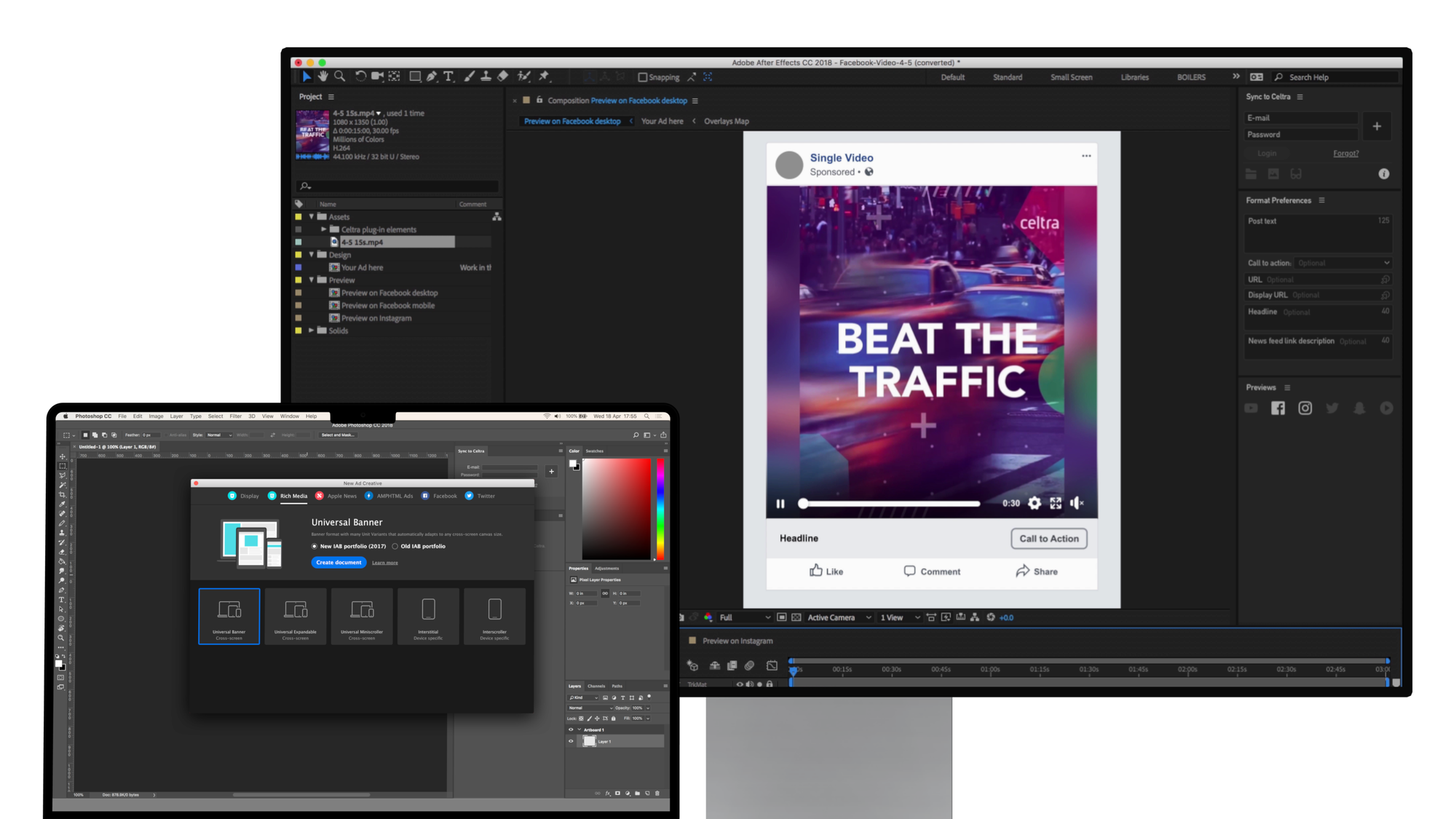
Celtra Ps & Ae plugins
Overview
Company: Celtra
Timeframe: 2018
Role: VP of Product
Background
Each quarter, Celtra’s creative reports showed that the best-performing ads were tailored to each format and used interactive features. Yet most ads on the platform were animated GIFs and 30-second TV spots that used Celtra only for ad trafficking. Meanwhile, the industry was grappling with declining performance of digital display ads and the subsequent disruption by the social media platforms.
If ads don’t perform, the customers eventually start to question the value of their creative platform. Helping them deliver better-performing ads would reduce churn risk and become a major selling point. Based on this rationale, I instigated an R&D initiative for improving ad performance by raising production quality.
Results
- Efficiency: The alpha cut production time from hours to minutes
- Validation: Customers committed to the beta product before development
Ownership
I initiated the project and was responsible for it from product discovery through MVP development and alpha testing in a hands-on player/coach role.
Show individual contributions
- Designed the Adobe-Celtra integration architecture in collaboration with engineering
- Designed the UX+UI of the Photoshop plugin
- Designed the responsive video feature behavior and specifications
- Interviewed customers to validate emerging product concepts and recruit beta testers
- Mapped the campaign lifecycle and creative workflows to identify production bottlenecks
The leadership work included writing and presenting the product strategy to the executive team to secure development resources, directing the quantitative research, hiring external partners specialized in Adobe plugins, and leading a cross-functional team across design, data science, and engineering.
Highlights
Research and product strategy
Platform usage data showed that most accounts produced a competitive volume of ads with small design teams, which validated the opportunity and identified the target users.
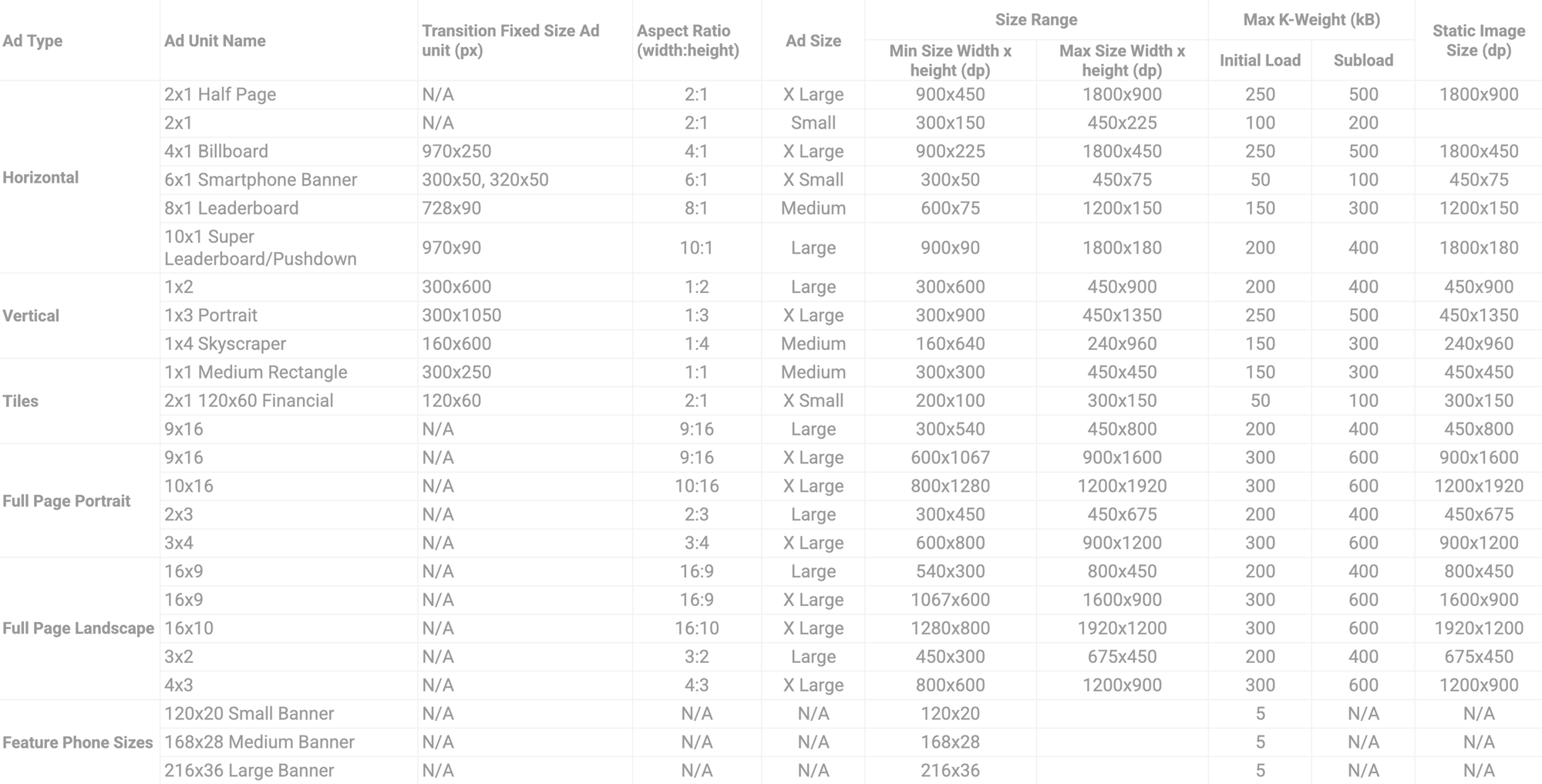
Customer interviews surfaced two bottlenecks. The value of premium ad slots is very time-sensitive. Whatever little time is planned for ad production ends up shorter in practice due to frequent changes and ineffective coordination via spreadsheets and emails. There are also too many publisher- and market-specific format specs to memorize, so designers wait on answers from further up the chain.
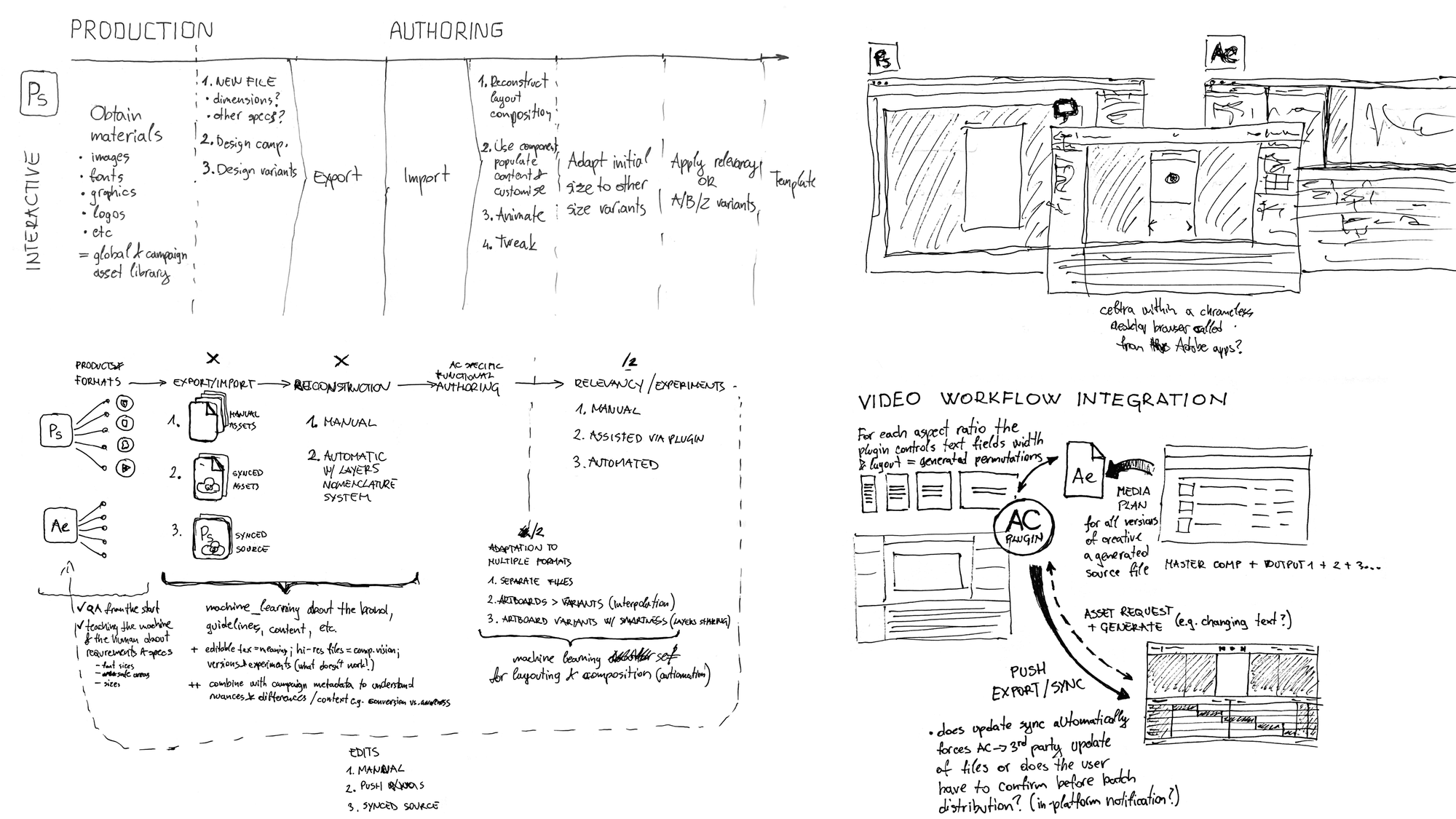
By mapping the production process and approximating the time spent at each stage, we identified opportunities for automating, shortening, and eliminating superfluous steps from the workflow. The biggest one was rebuilding each composition in Celtra for every format.
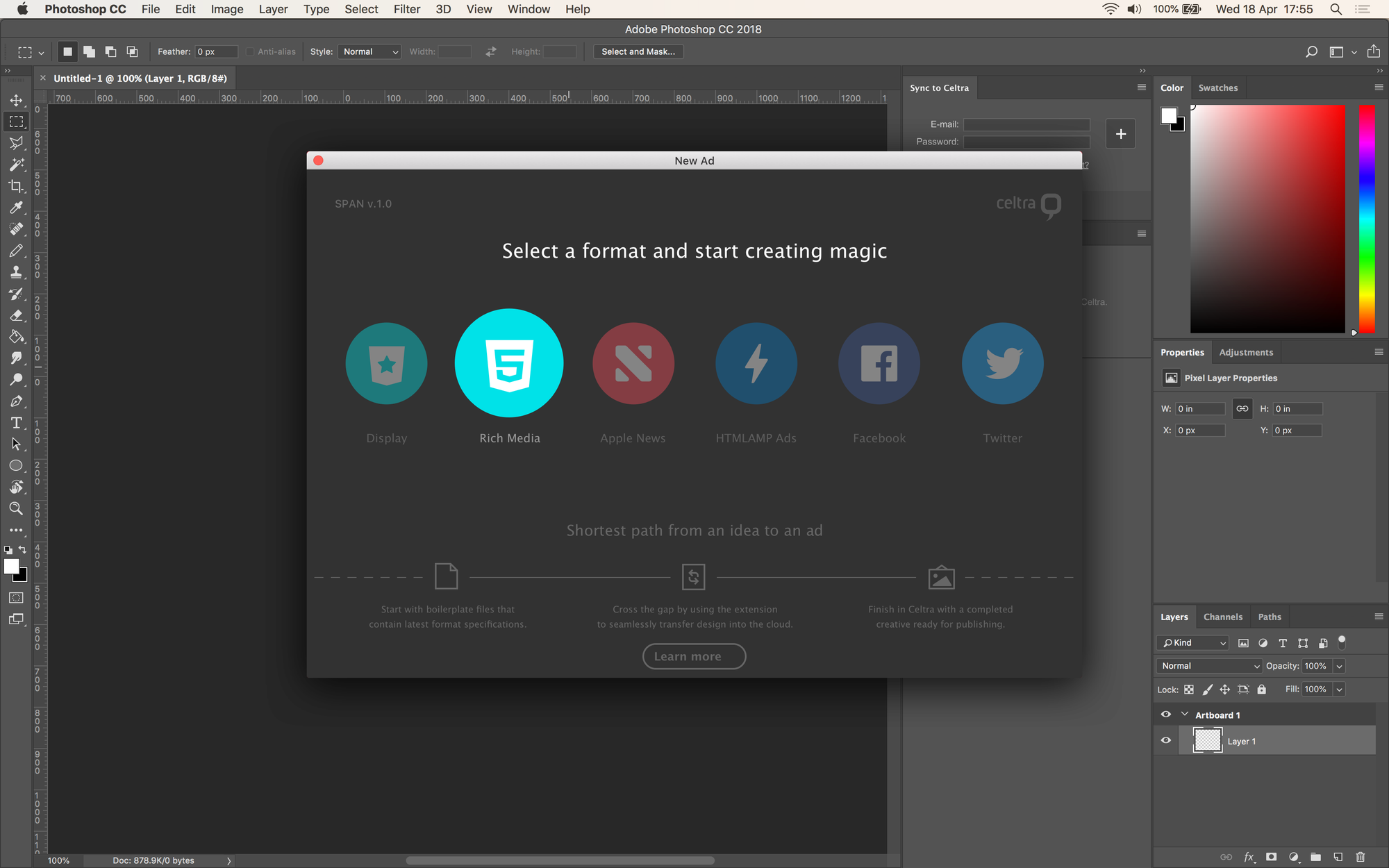
Ad specs inside Photoshop
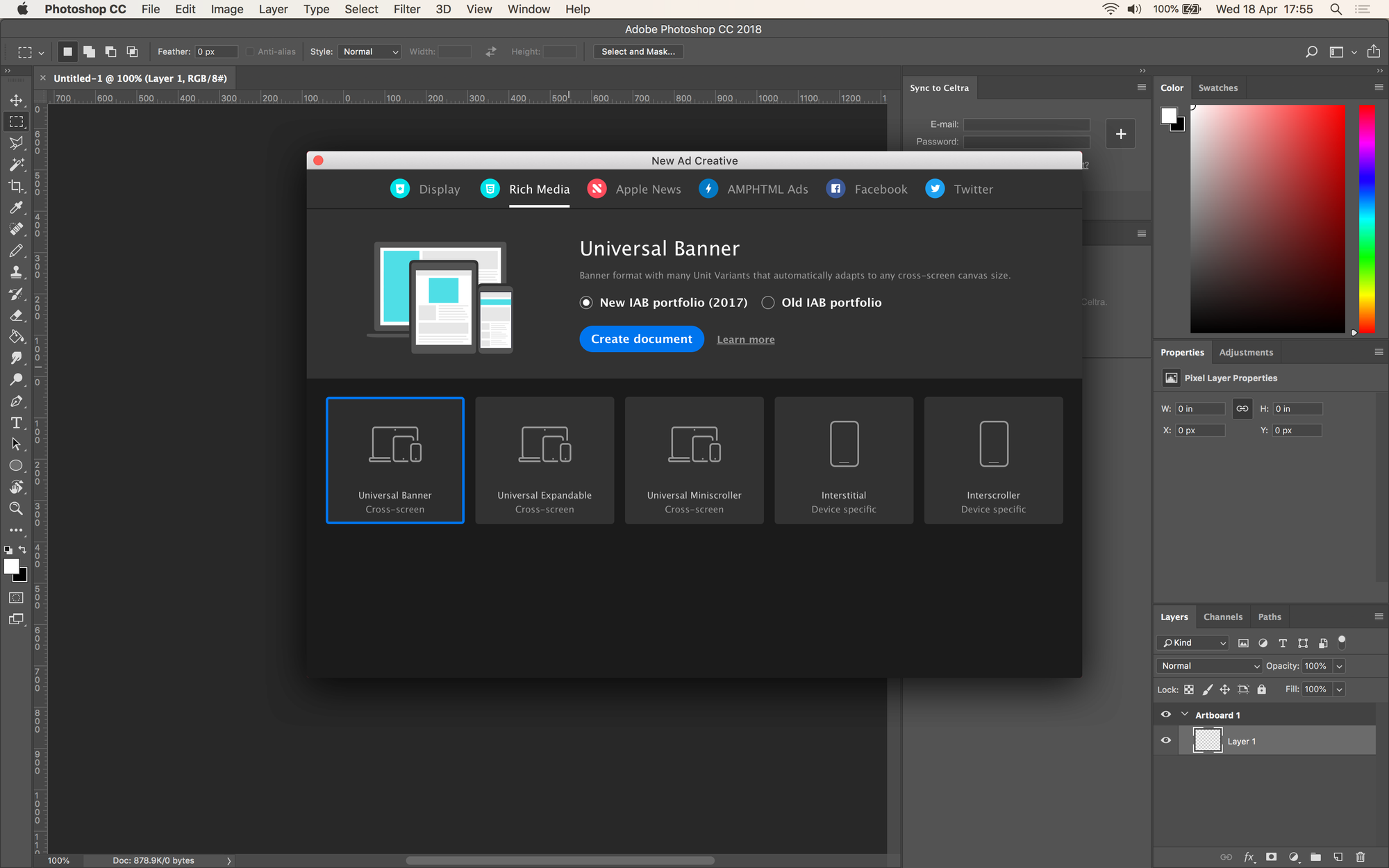
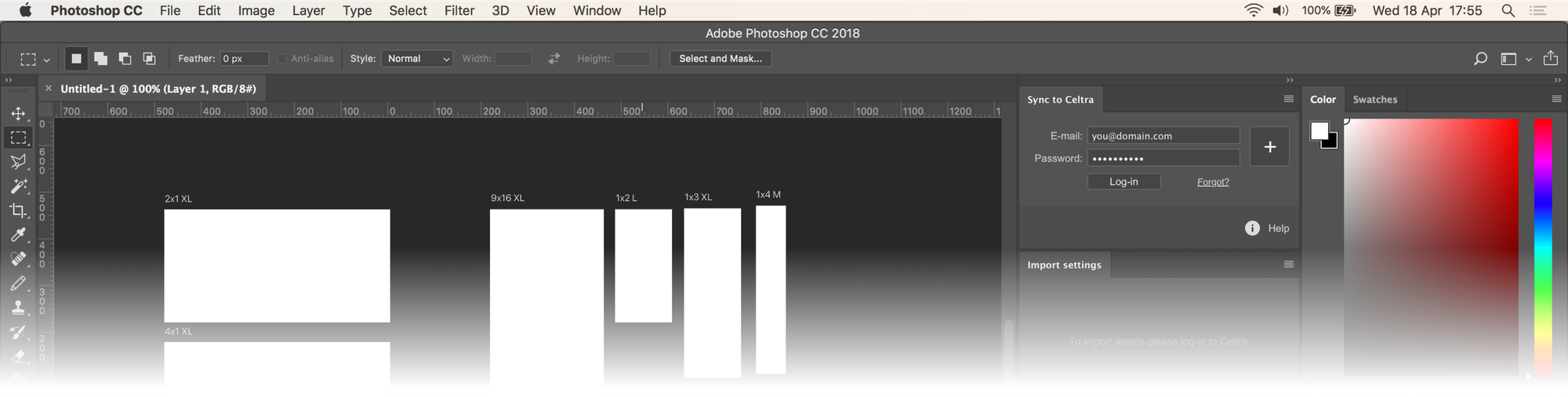
A bulletproof solution required integrating ad specifications into Ps and Ae. Like New File dialogue presets, but for ads. The only way to keep preset files up-to-date was by implementing a custom wizard.
Architecture & integration mapping
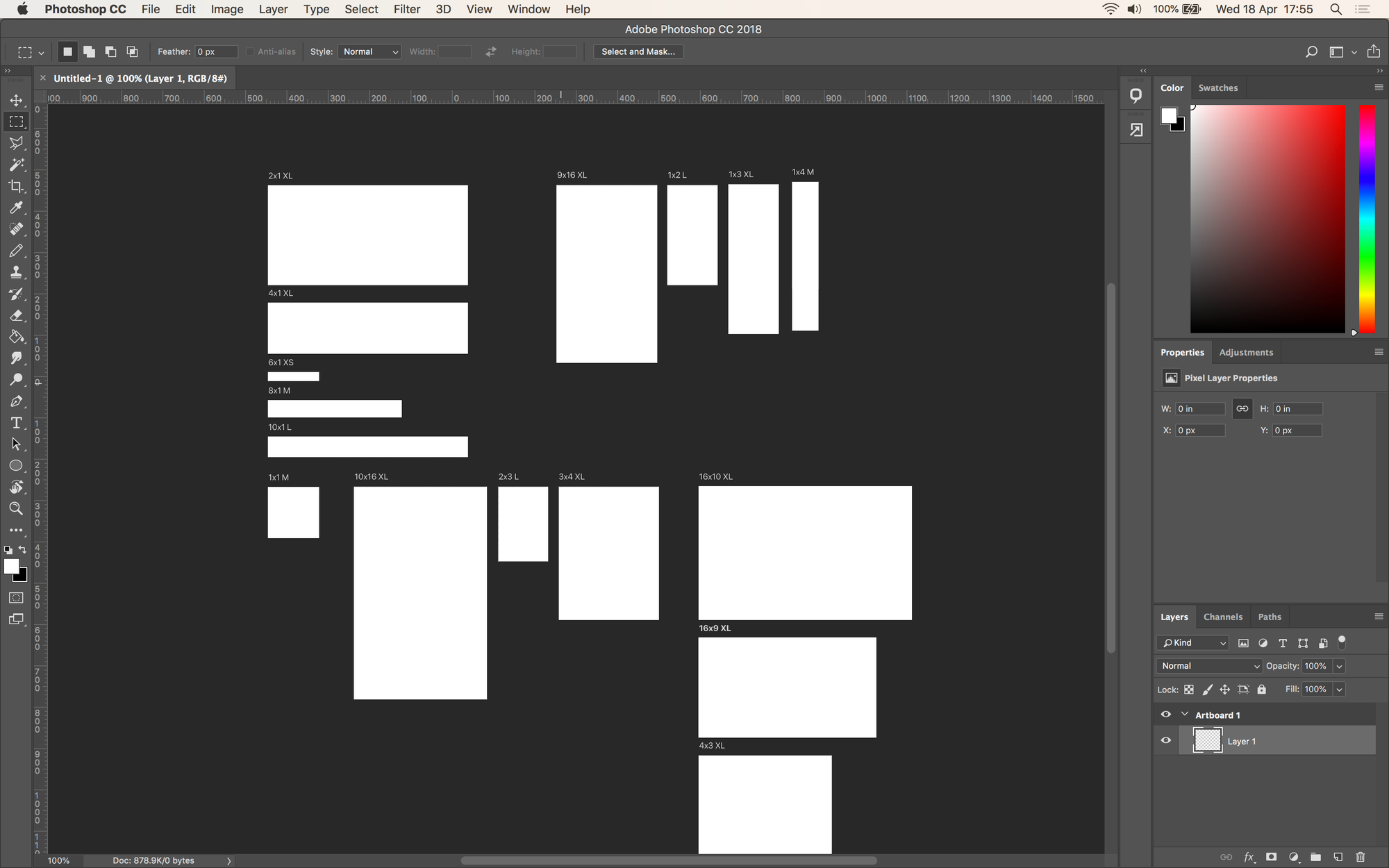
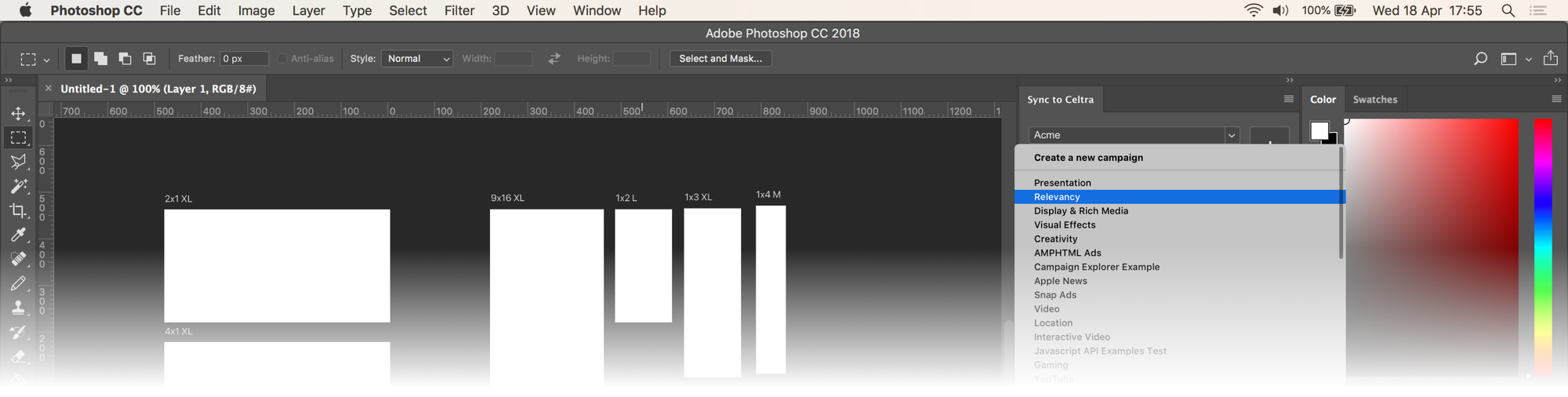
Each Photoshop file holds every format unit as a predefined artboard, which binds multiple sizes and expandable units into one Celtra creative to support a universal trafficking tag. Layer groups map to Celtra’s, with a potential for automatically converting layers into interactive components with a nomenclature system. The handoff kept text layers editable with web fonts, supported @2x, and exported each layer once at the highest resolution for the server to downsample.
Enabling users to specify Celtra’s destination account and campaign to upload work from plugins also required extending Celtra’s API and implementing log-in.
Automating adaptation to multiple sizes
For display ads, the plugin converted fixed pixel values into Celtra’s responsive layout, so one composition could be adapted to every other format, with optional artboards for landscape, portrait, and square variants.
For video, we developed a responsive layout engine for After Effects, which reflows a composition from any aspect ratio to any other.
Responsive video engine demo
Creative guides and video player simulation
Player controls often cover key parts of the creative without providing an option to hide them. We created safe area guides and player simulation comps in After Effects that let designers proof an ad without rendering and uploading it to each platform.
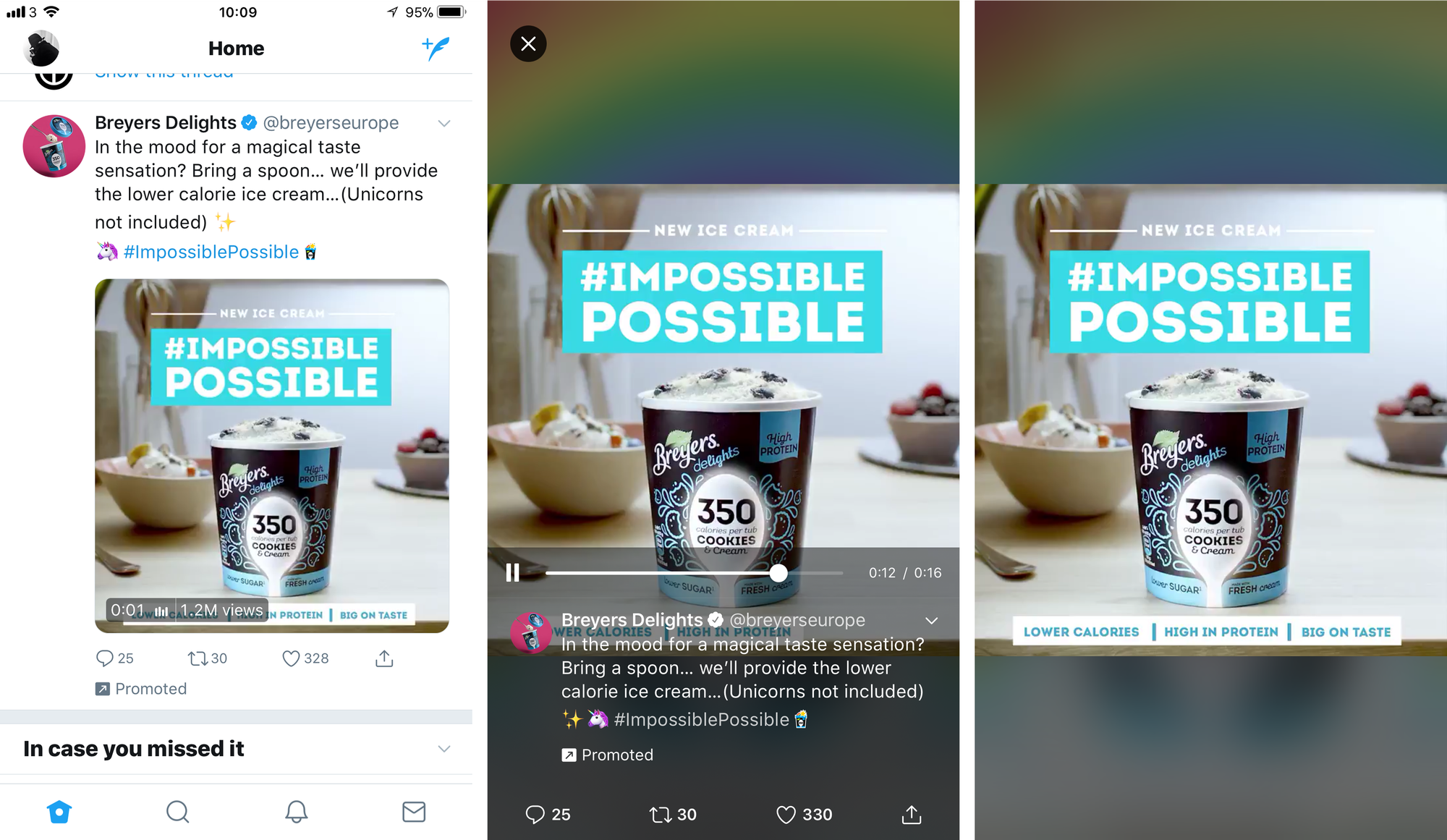
Format safe area guides for YouTube demo
Format safe area guides for Facebook and Instagram demo
Future-proofing for dynamic & generative use-case
Other teams were exploring technologies for generative creation, so we designed the architecture to support server-side rendering. We built a proof of concept that generated hundreds of video variants based on one After Effects creative template ingesting structured data from Google Sheets.
Data feed powered generative video engine demo
Conclusion
Development was put on hold after alpha in favor of higher-priority initiatives. The Photoshop plugin was later revived in a different implementation, while the After Effects plugin was retired as the company sunset most of its video production solutions.
More from the project
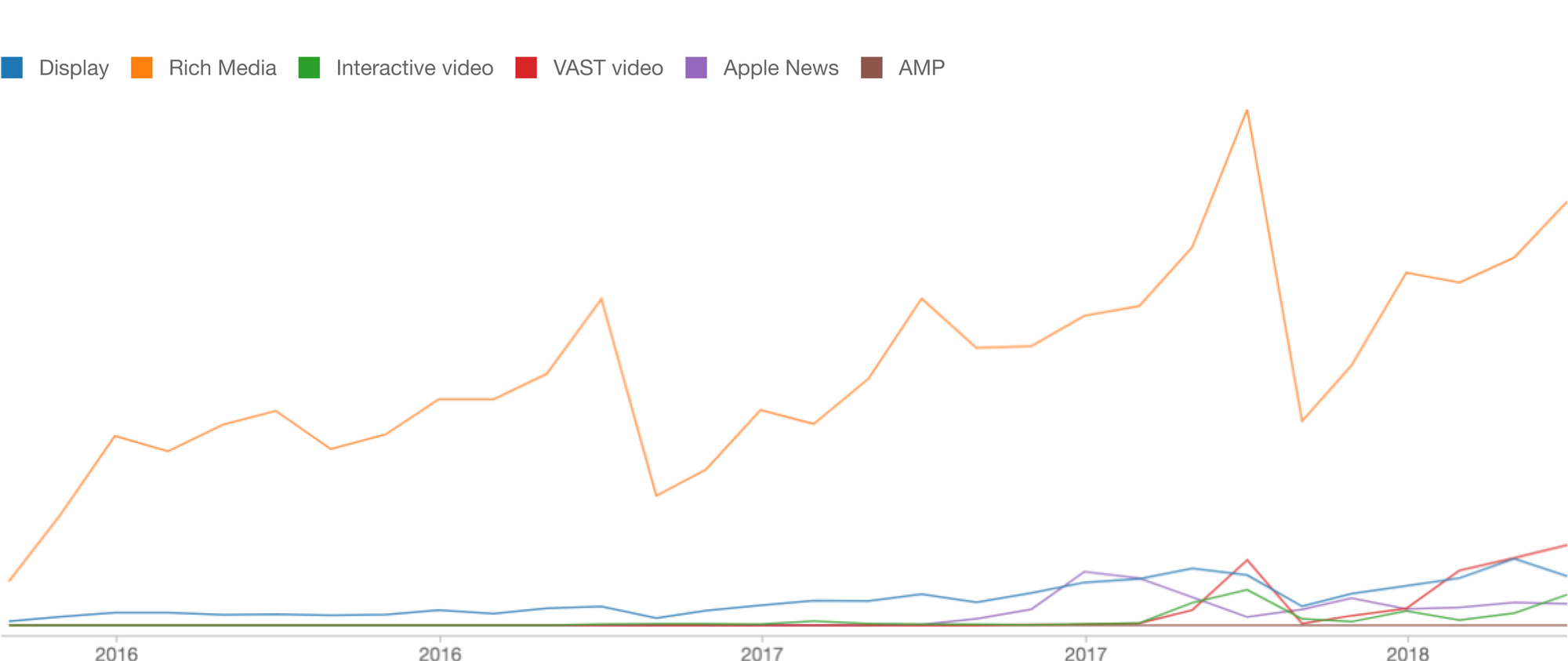
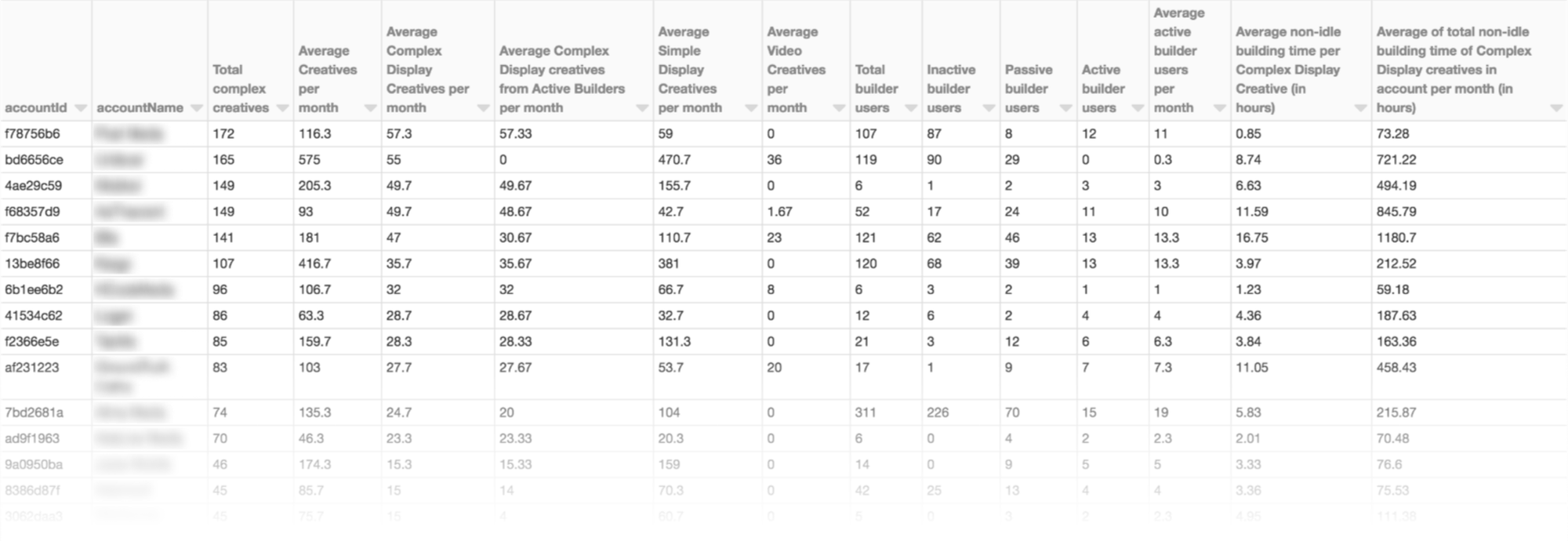
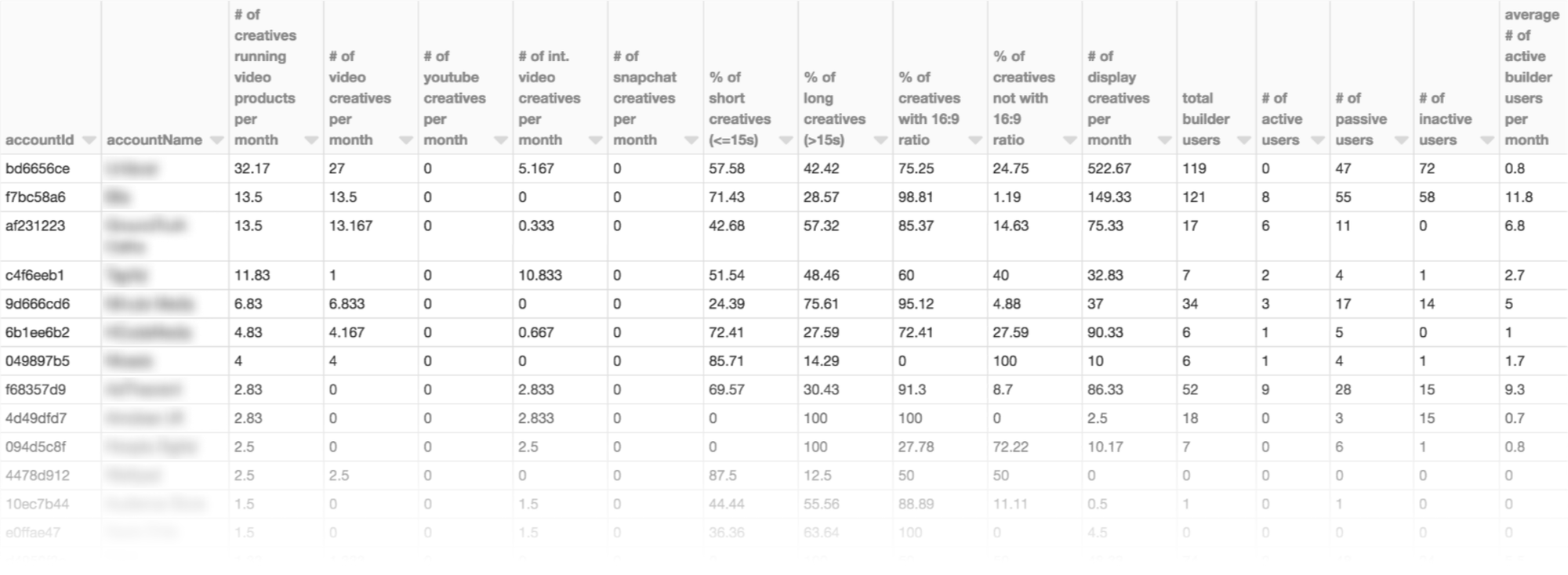
Display and video ads workload data analysis
Credits
Data science: T. Rostan
UX+UI Design: G. Furcolo
Engineering Celtra: P. Bradey, U. Pirnat, G. Kozak, et al.
Engineering Videobolt: M. Stojkovic, U. Stojanovic, I. Halilovic